


We know you care about getting it right for your customers. That’s why today we’re introducing ways to help you keep customer’s preferences in mind when making replacements, find items on shelves, and get real-time customer responses.
See dietary preferences at a glance
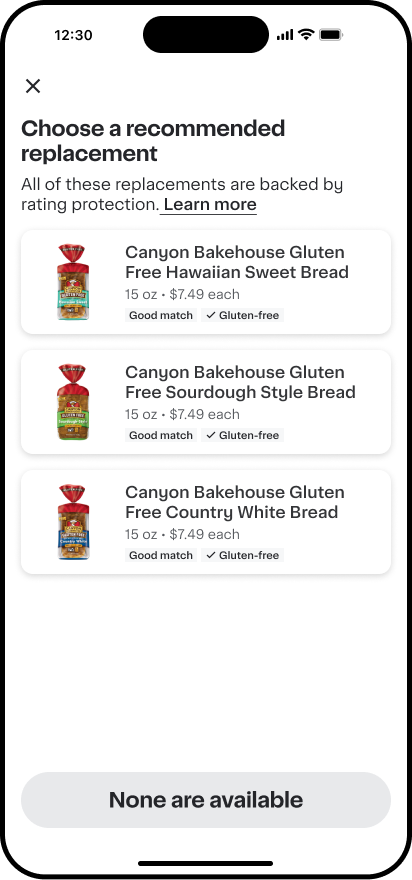
When a customer’s original item is sold out and they have a dietary preference, you’ll see recommended replacements that align with that dietary preference, so it’s easier to pick a replacement item that works for them. For example, if a customer prefers items that are gluten-free or lactose-free, the recommended replacements will be tagged if they meet that preference. If a customer hasn’t set preferences, you’ll still see the best available matches, they just won’t be labeled by dietary need.
Spot the right item faster
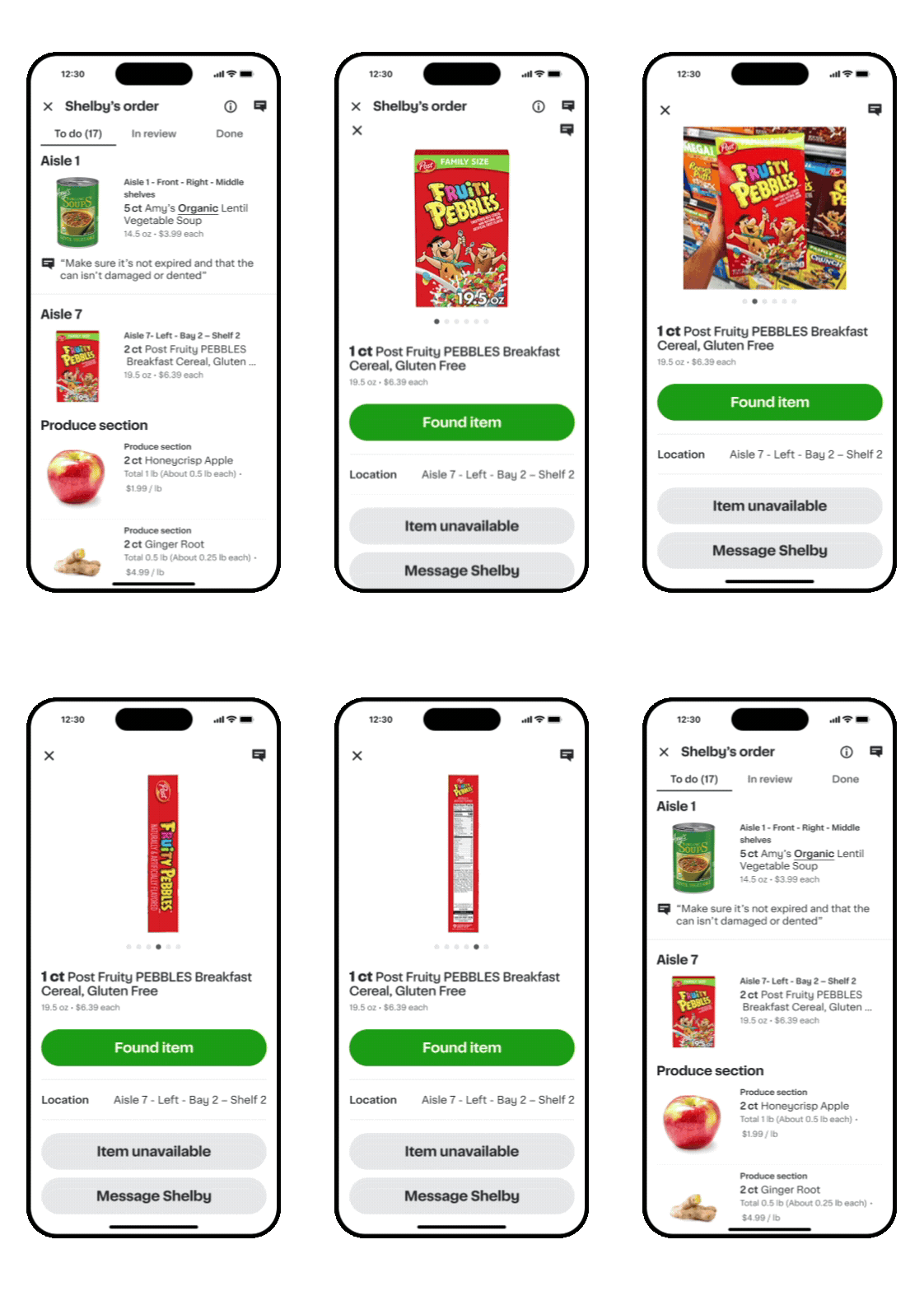
We know new items and package variations can make products harder to find. Now, item detail pages can show up to 6 photos of the item, from different angles or in different packaging, so you know what to look for on the shelf. Some products may still show a single image as we continue to add more photos.
Helping shoppers get answers from customers
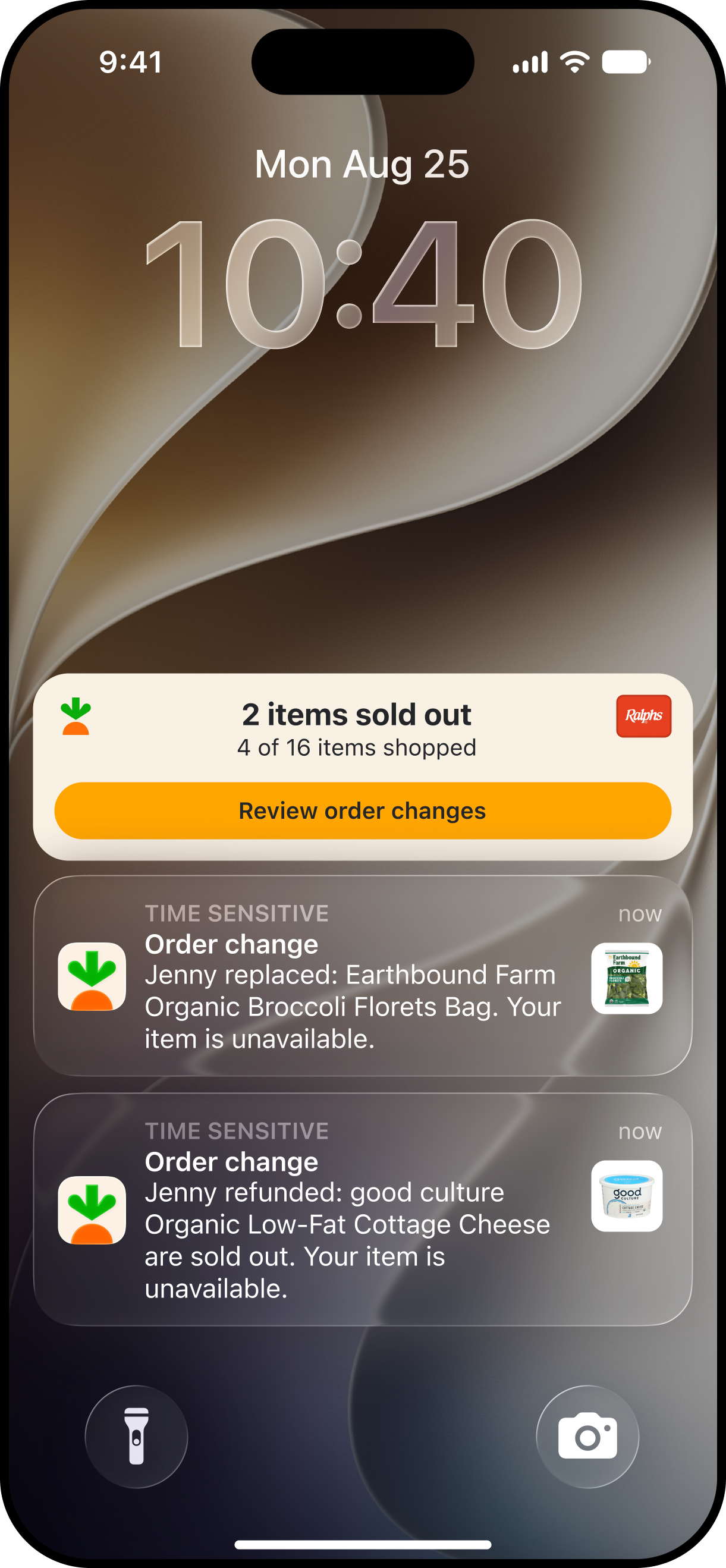
We’ve heard from you that you’d appreciate more responsiveness from customers when you’re making refund or replacement decisions. Now, customers will be notified with more details when you make important changes to their order that need their review. Customers may respond while you’re still shopping, but replies aren’t guaranteed, so follow in-app guidance and use your best judgment if you don’t hear back from them.
More resources to support delivering excellence
Learn more about ways to deliver excellent customer experiences and access additional resources on our website and Carrot Academy in the Shopper app.


